Accessing the MacOS app
Once you've installed SuperCards, there are two ways you can open the app from your desktop.
From the menu bar
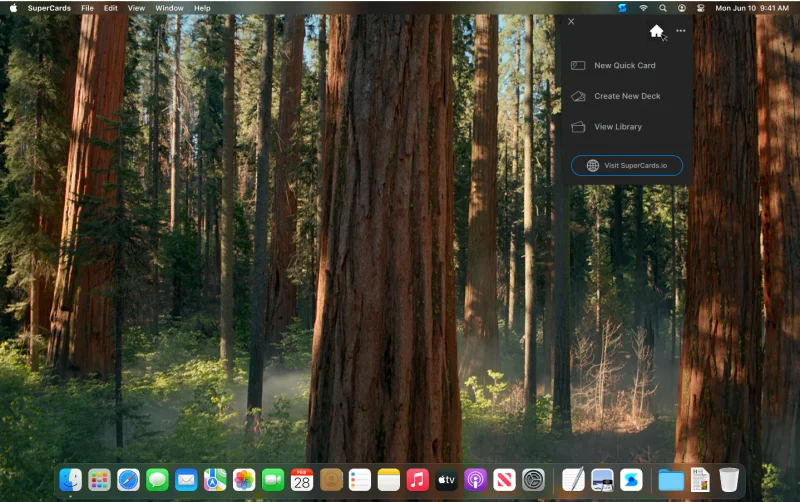
By default, the SuperCards icon will appear in your menu bar once the app is installed. Clicking on it will reveal the Dropdown Tile, where you can launch the main app window via the Home Icon or dive into the app's primary workflows.// Note: SCREENSHOT OF MENU BAR & DROPDOWN TILE GOES HERE
You can remove the SuperCards menu bar icon from your menu bar by right-clicking on the icon and unchecking 'Show in menu bar' or deselecting "Menu Bar Access" in User Settings.
From the Applications folder
You can also access SuperCards like any other app if you'd prefer not to include it in your menu bar apps. Go to your applications folder and click the icon to open, or save a shortcut to your desktop or system dock.