Accessing the macOS app
Once SuperCards is installed, there are two ways to open it on your Mac.
From the menu bar
By default, SuperCards lives in your menu bar. Click the icon to open the dropdown tile and jump straight into the app's core workflows:- New Quick Card — capture a thought into the Brain Dump without opening the full app
- Create New Deck — open the Deck Builder
- View Library — open the main window to your decks
- More — About SuperCards, Check for Updates, Preferences, and Quit
Closing the main window doesn't quit SuperCards — it stays available in the menu bar so quick capture is always one click away. To quit fully, use the More menu or Cmd + Q.
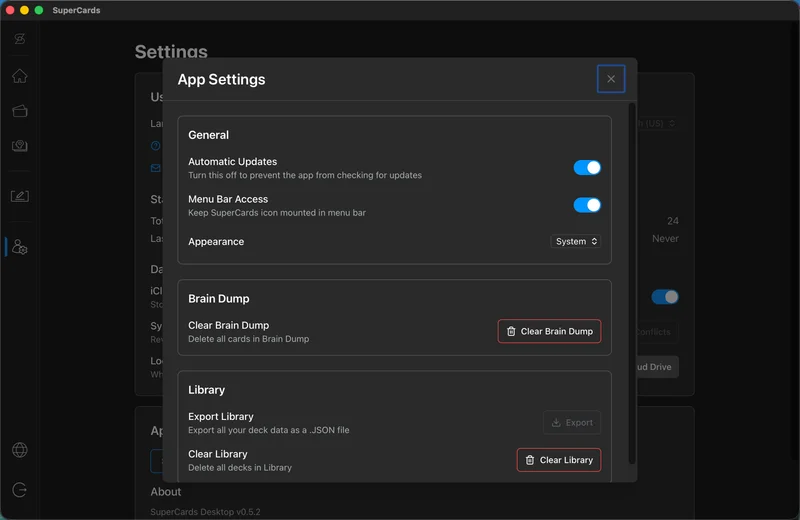
If you'd rather not keep the icon in your menu bar, turn off Menu Bar Access in Settings → App Settings → General.
From the Applications folder
You can also open SuperCards like any other app: launch it from the Applications folder or Spotlight, or keep it in your Dock.